
COMING SOON · VERSION 8.2
TruckWriter Estimator 8.2 — now web-based
The heavy truck estimating system you know from 7.0, rebuilt from the ground up to run in your web browser. Nothing to install and no remote desktop connection. Open it from the office, the shop or the road.
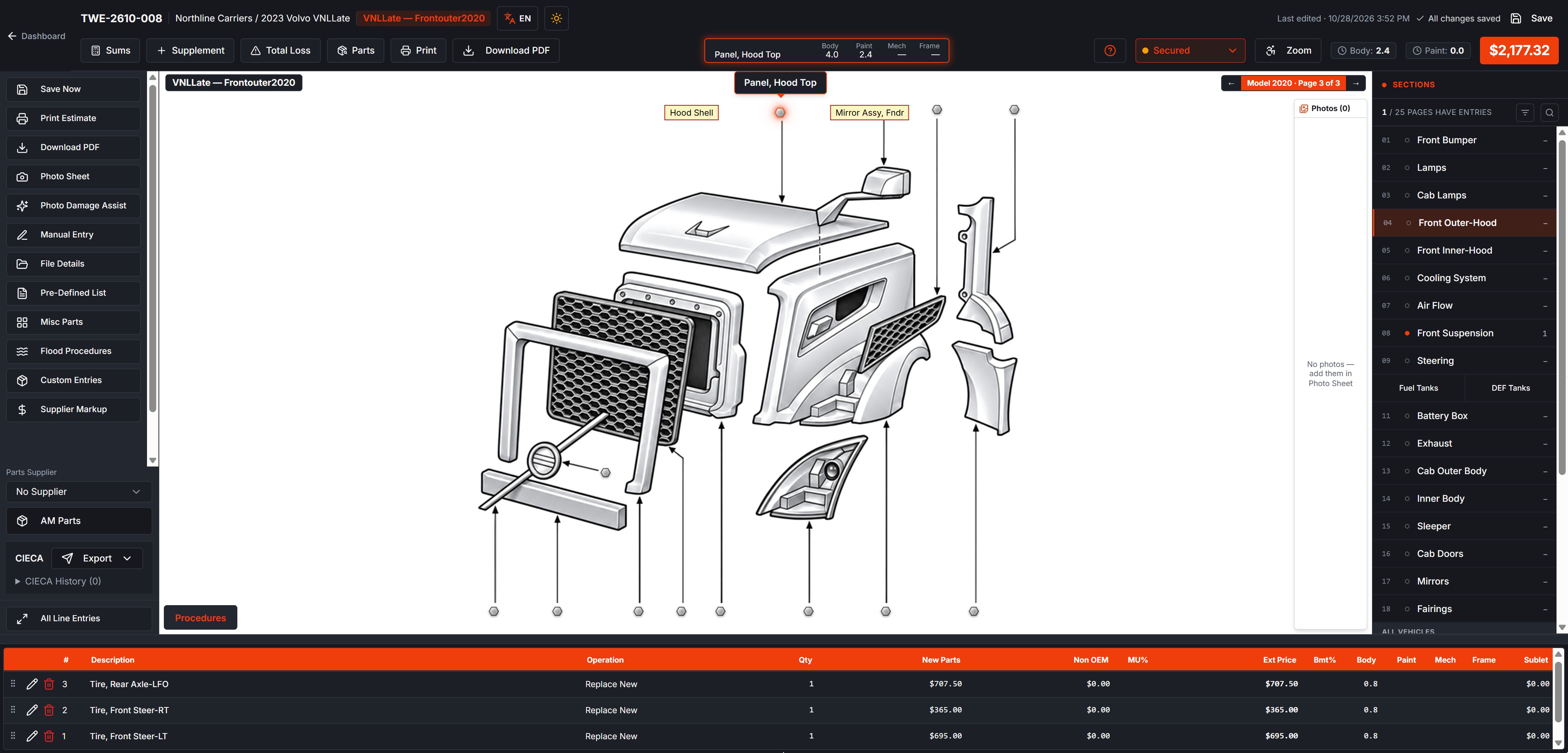
2023 Volvo VNL, Front Outer & Hood. Hover any part to see Body, Paint, Mech and Frame hours before you add it.
YOU ASKED FOR IT
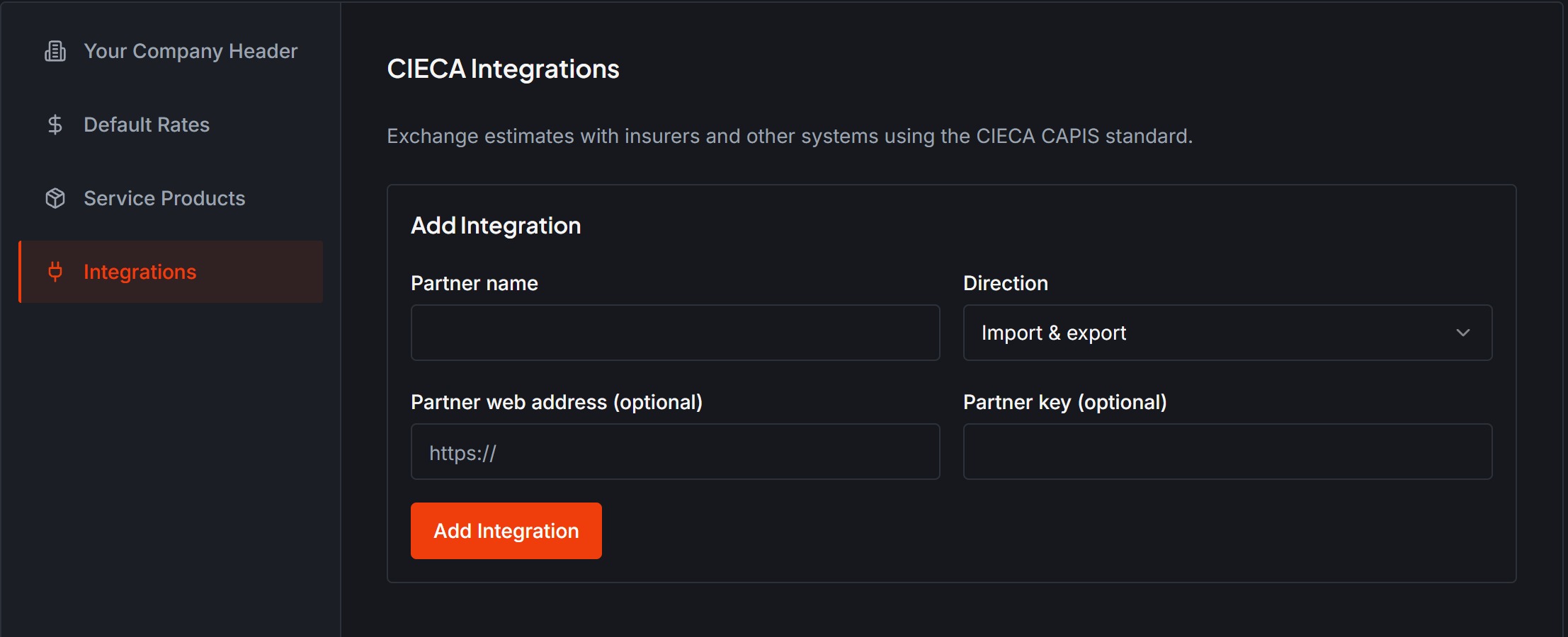
CIECA import and export, built in
Move estimates in and out of TruckWriter without retyping them. 8.2 exchanges estimates with insurers and other systems using the CIECA standard.
- Export any estimate in CIECA format right from the estimate screen.
- Import estimates sent to you by your partners.
- Set up each insurer or partner once.
- Every send and receive is logged, on the estimate and in CIECA Activity.
NEW IN 8.2
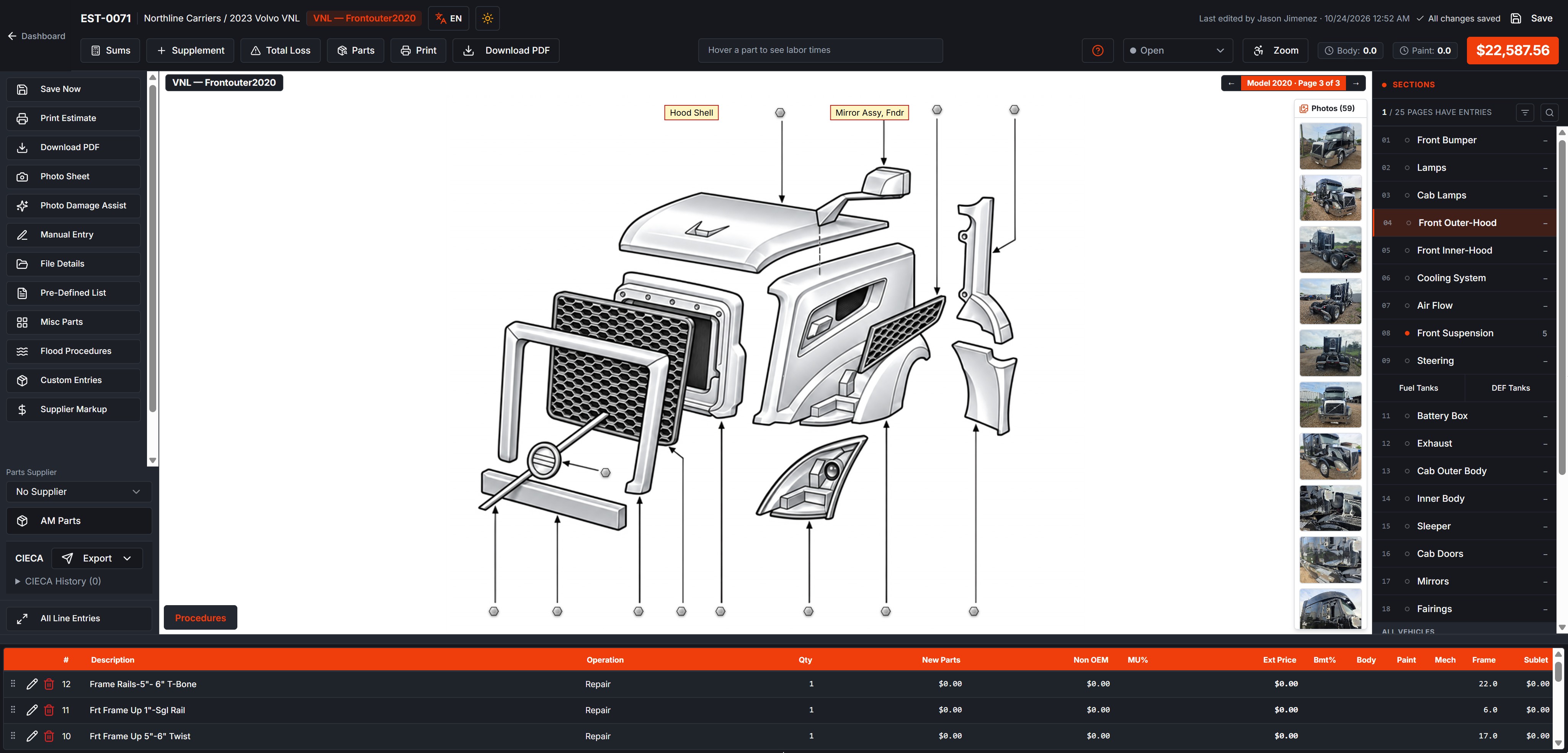
See your damage photos while you add parts
Your photos sit in a strip right beside the truck drawing, so you never have to leave the estimate to check the damage. Look at the photo, click the part on the drawing, and it's on the estimate.
- Every photo on the estimate shows beside the drawing, on every page.
- Click any photo to open it full size, then flip through the rest with the arrows.
- Add photos from the Photo Sheet, or take them with your phone.
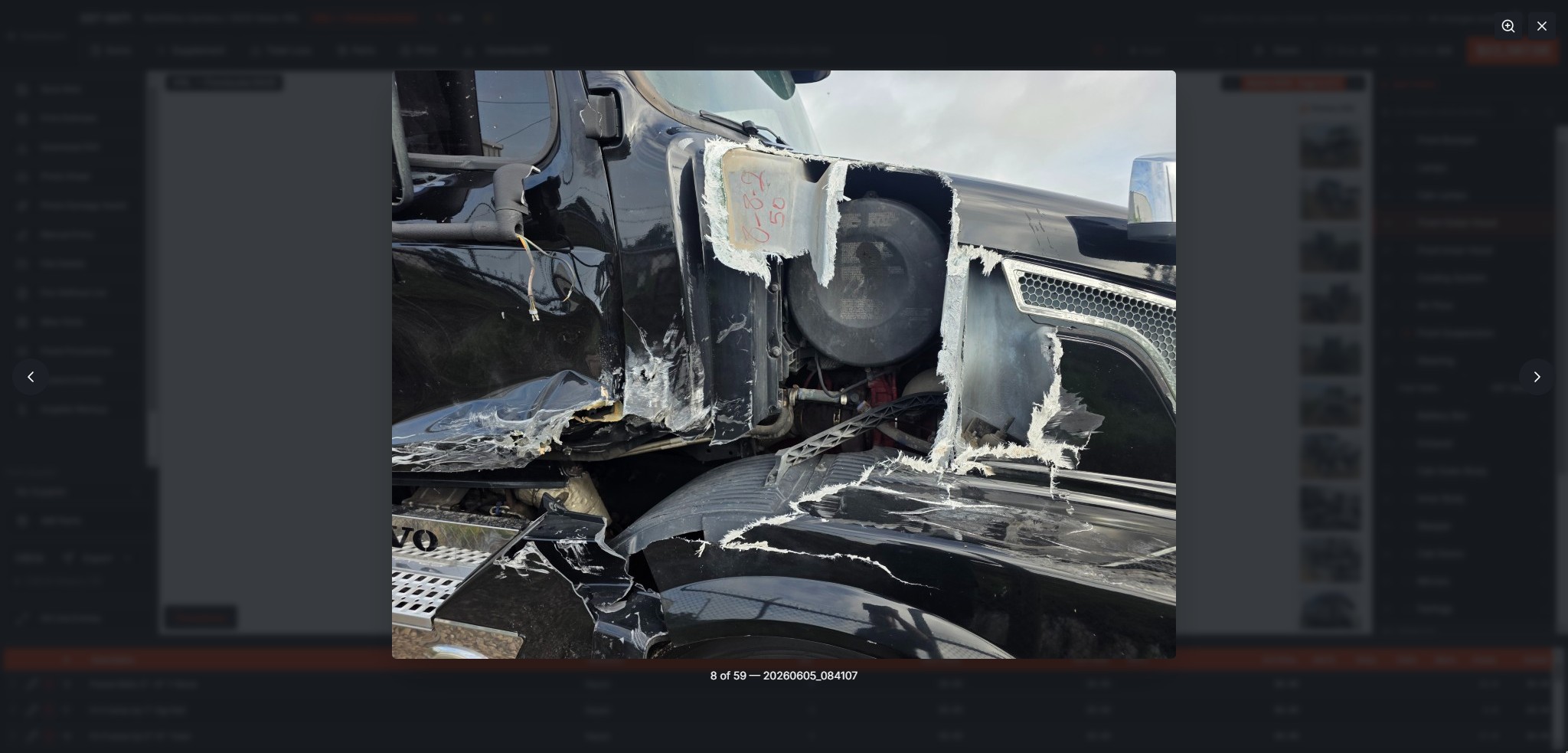
Click a photo to see it full size without leaving the estimate.
NEW, DETAILED DRAWINGS
Every part, drawn so you can find it fast
Each section of the truck has its own exploded drawing, and every arrow is a part you can click. Parts already on your estimate turn orange.
CLICK THE DRAWING
Point at a part, see the hours. Click it, it's on the estimate.
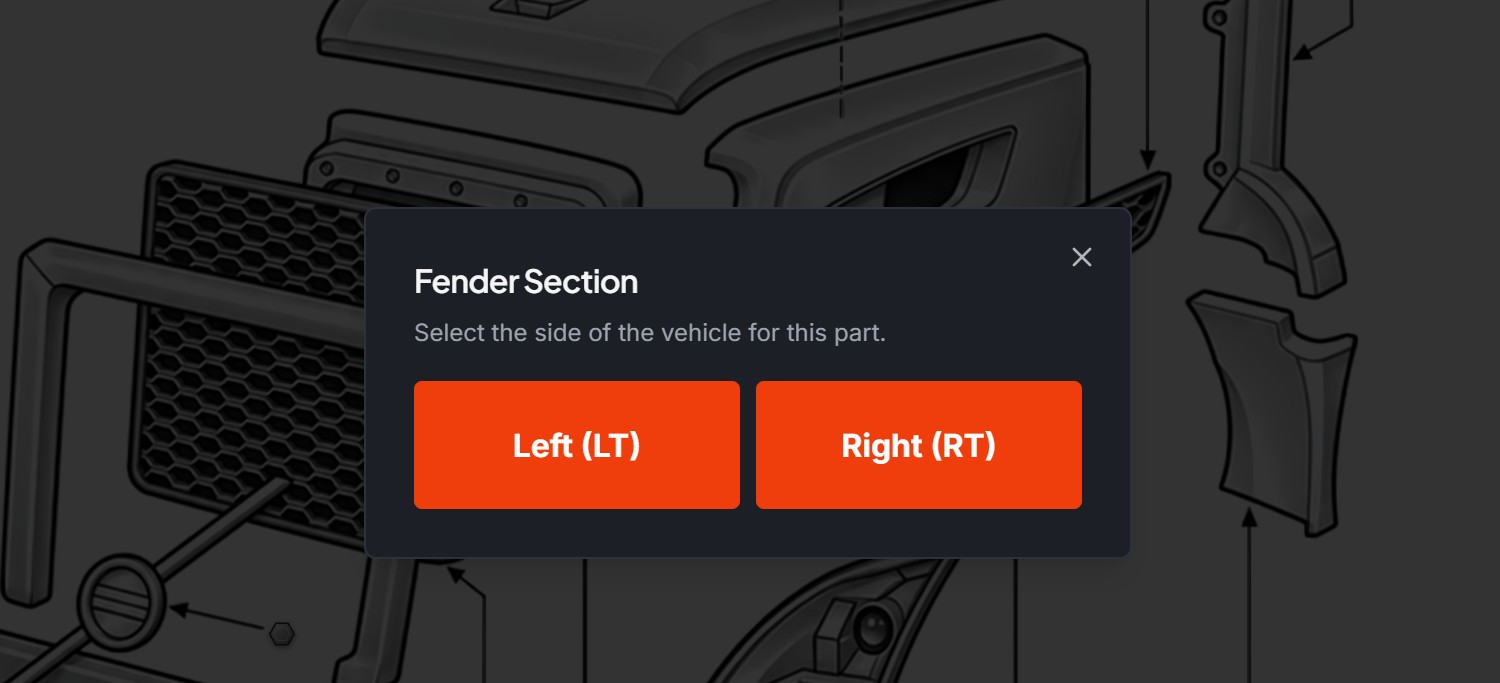
Left/right and part choices pop up right on the drawing, so you pick the exact part the first time.
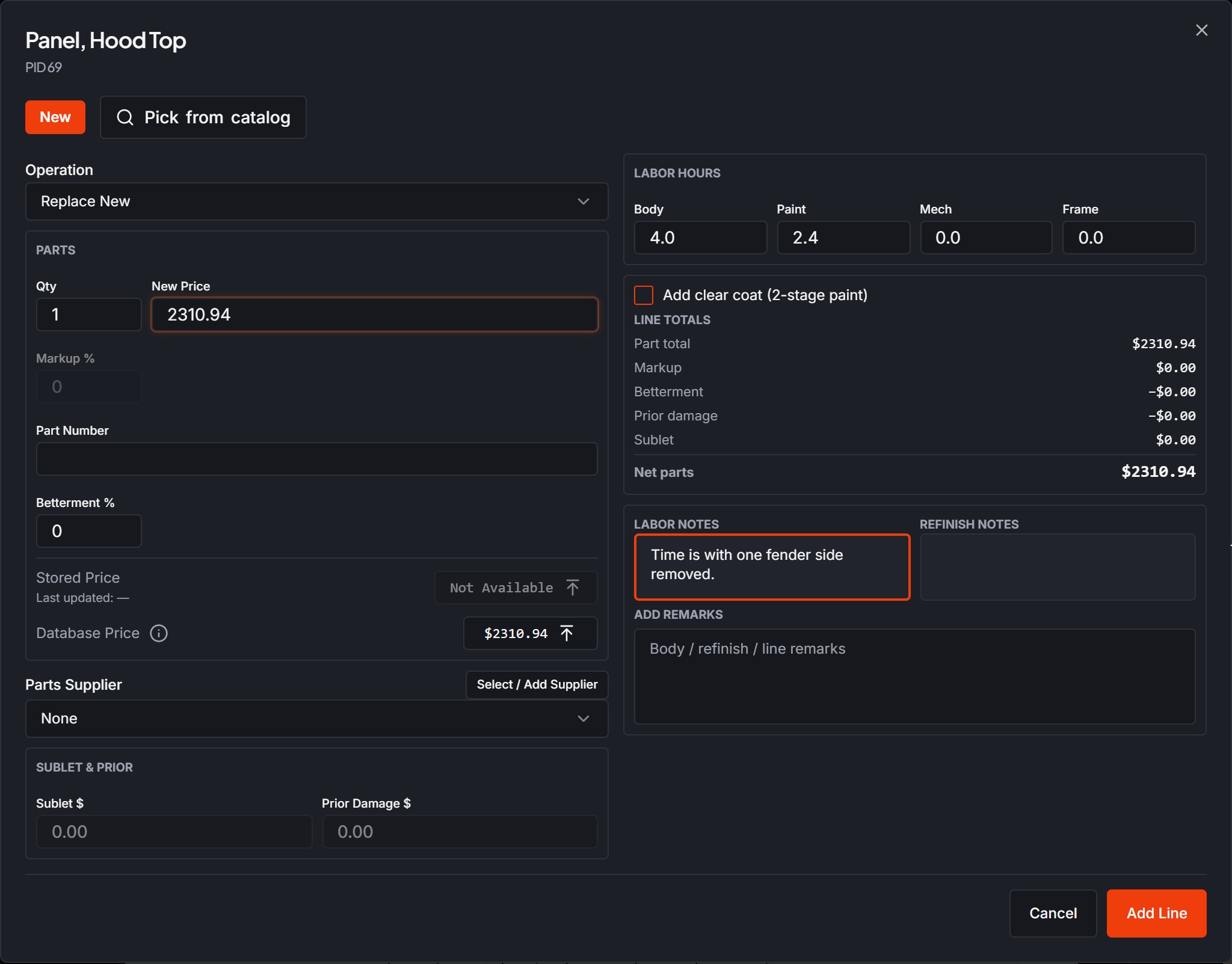
Database prices and labor, filled in for you
- The database price is one click away, with labor hours already filled in.
- Replace New, Aftermarket, Salvage or Reman, Repair, Refinish, Color Blend, Prior Damage, R&I, Sublet and Labor Op, all from the same pop-up.
- Clear-coat option, labor and refinish notes, betterment and markup on every line.
- Our team researches current US OEM prices and reviews every change before it updates the database price.
THE ESTIMATE
Your logo on top. Every line grouped by section.
Upload your shop logo once and it prints at the top of every estimate. Lines are sorted under their section — Bumper, Lamps, Hood / Front Outer, Cooling System, Suspension & Axle and more — so the customer and the adjuster can follow the repair part by part.
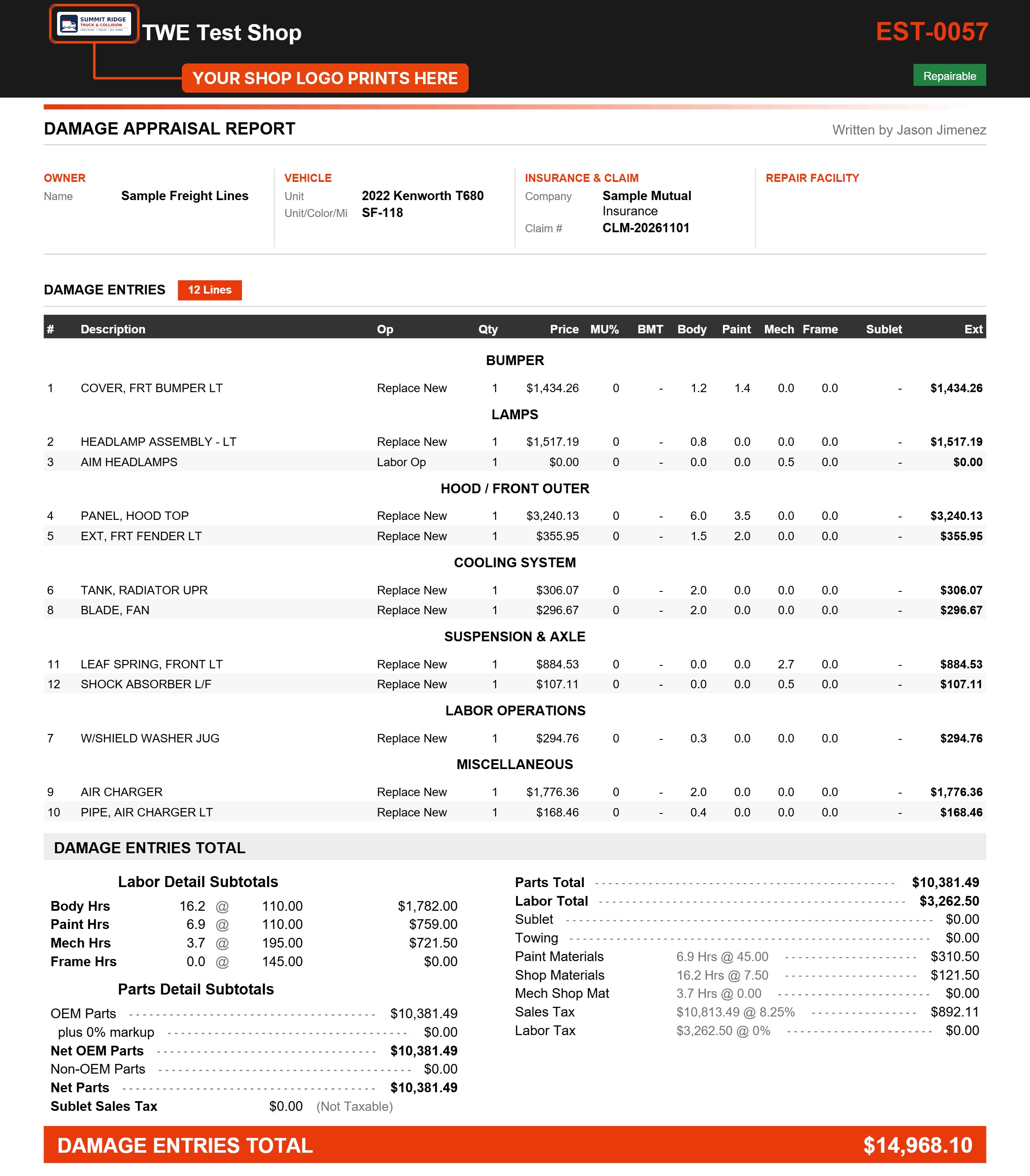
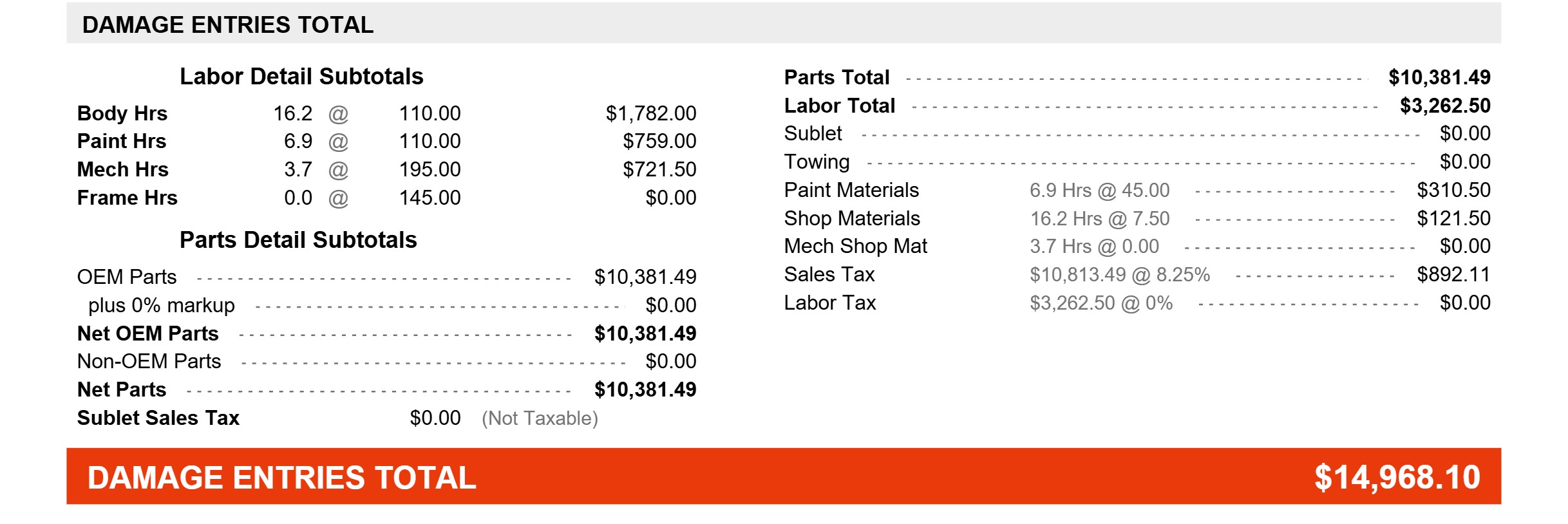
Labor is broken out by Body, Paint, Mech and Frame at your shop's rates, with paint and shop materials and sales tax. Print it, save it as a PDF, or send it with photos.
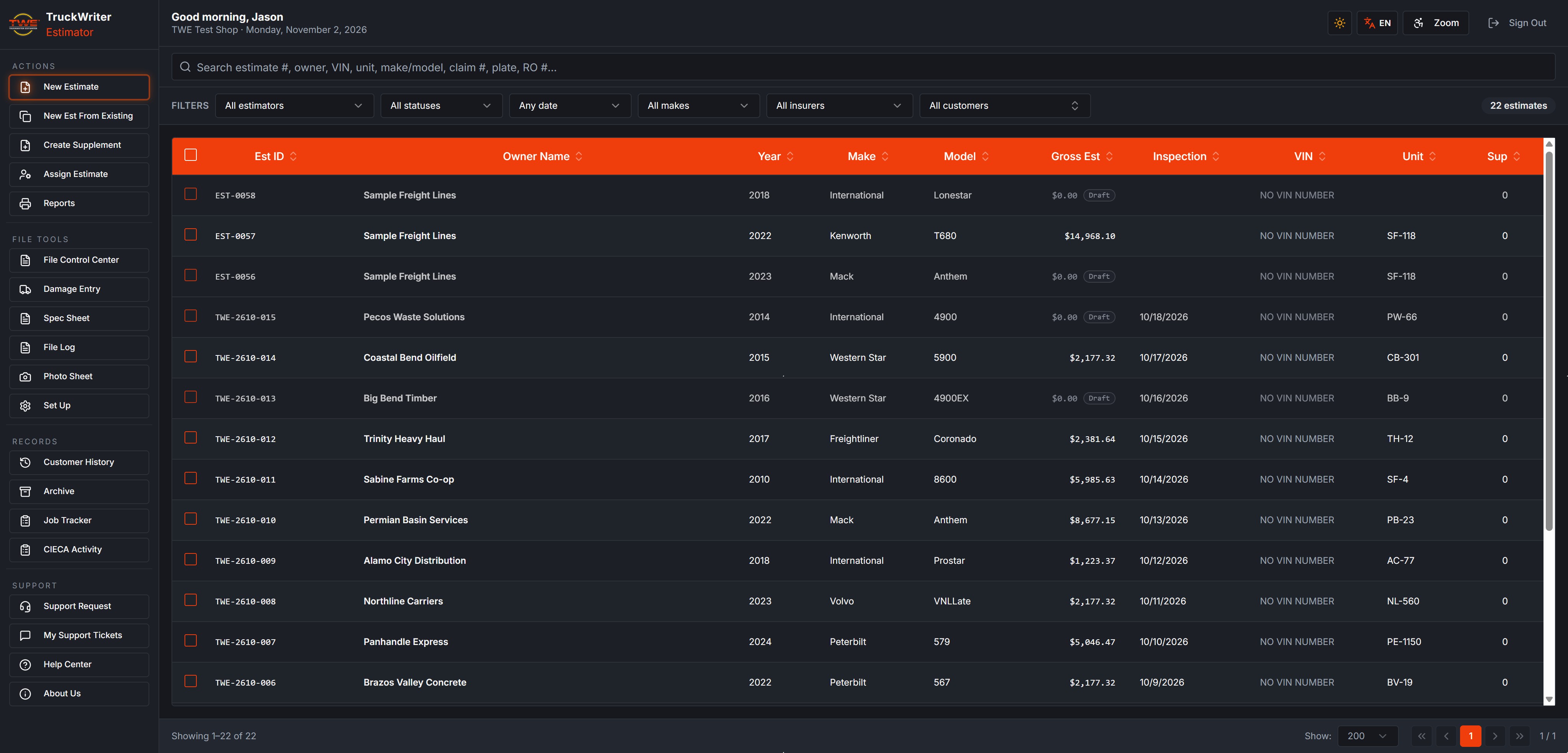
Find any estimate
Search by estimate number, owner, VIN, unit, make or model, claim number, plate or RO, and filter by estimator, status, date, make, insurer or customer.
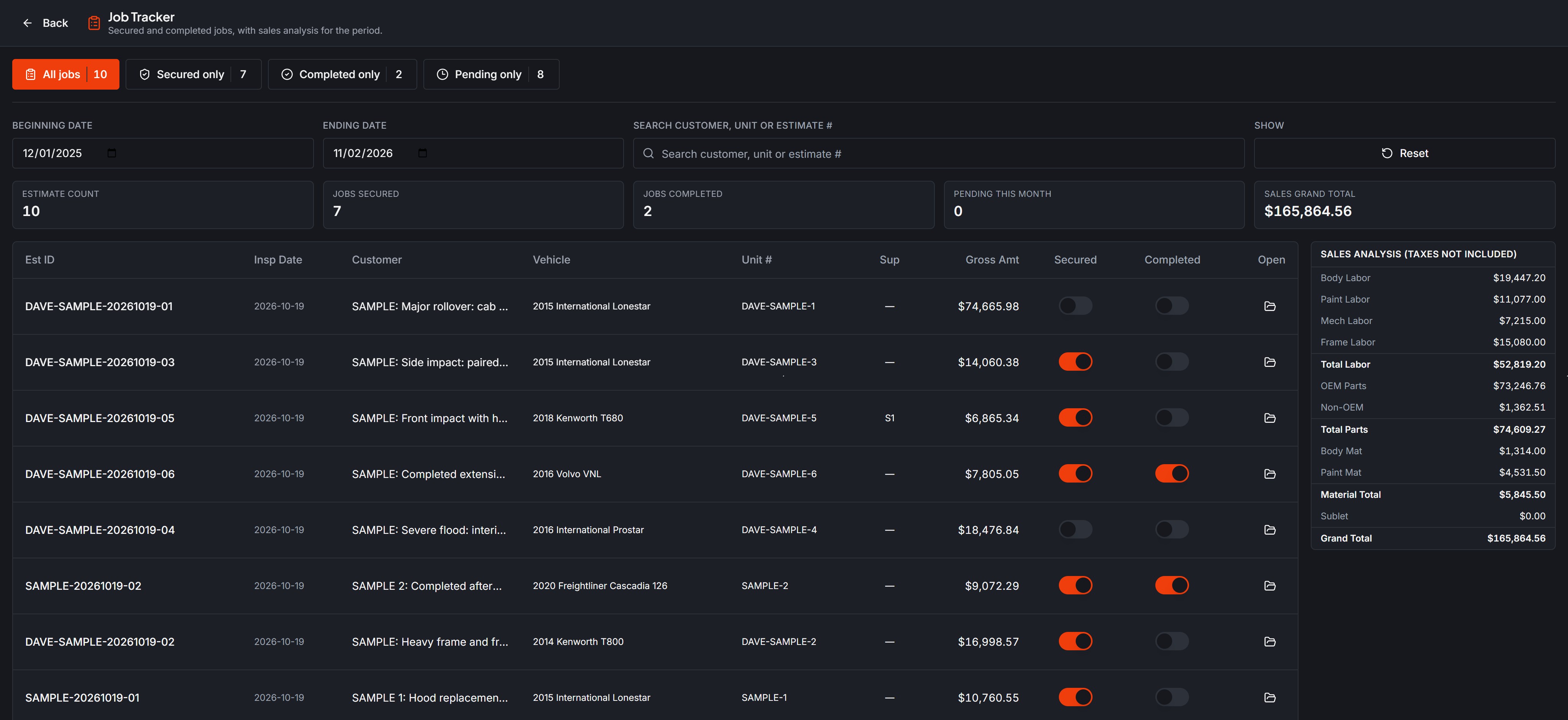
Job Tracker
See which jobs are secured and completed, with a sales breakdown for any date range.
VIN decode fills in the year, make and model, each with a confidence score you can override.
English or Spanish, dark or light
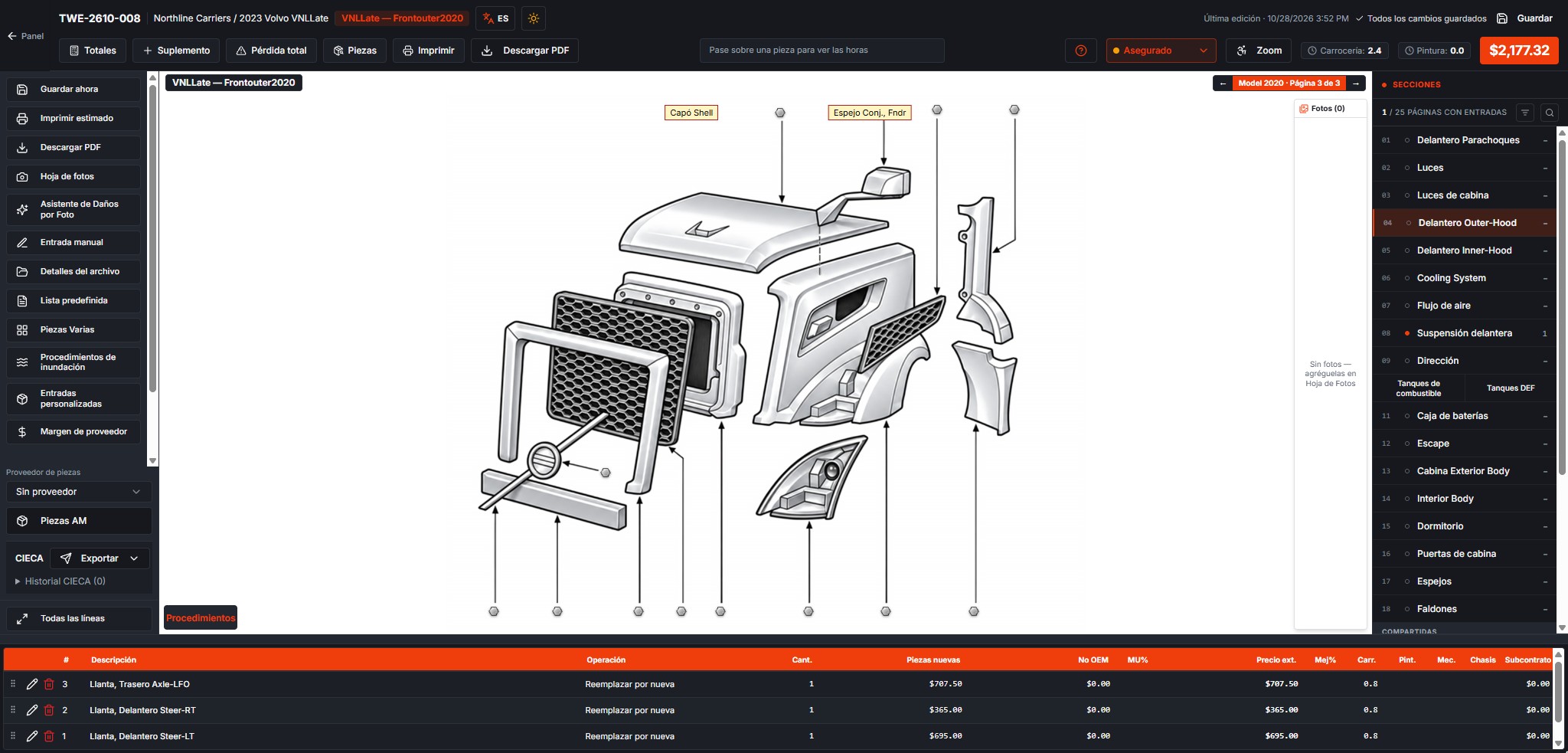
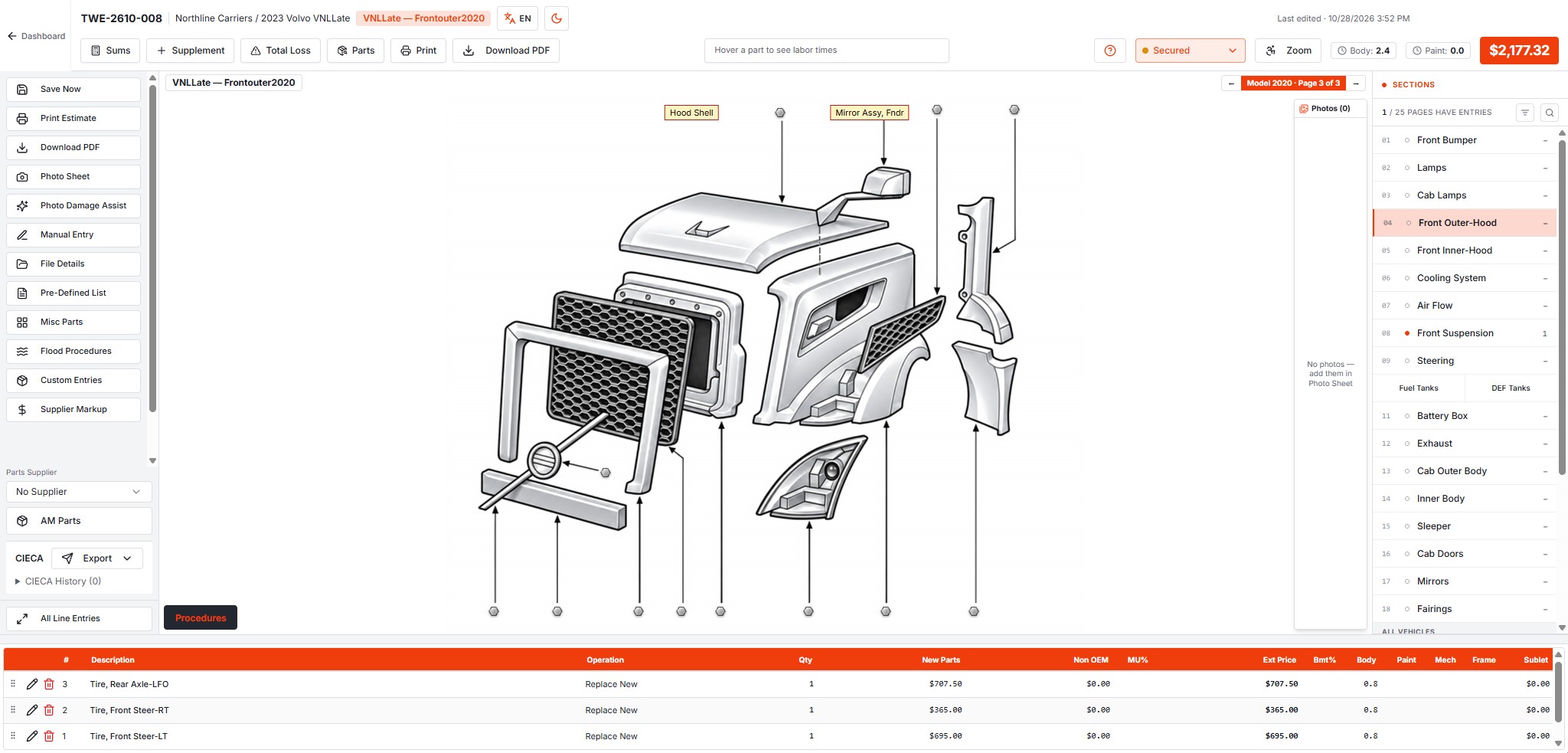
Switch the whole screen to Spanish with one click, choose a light or dark look, and use Zoom for larger, easier-to-read text.
Also in 8.2
- Supplements and Total Loss
- Photo Sheet, plus phone photo capture
- Flood procedures
- Pre-defined lists and custom entries
- Misc parts and supplier markup
- Customer history and archive
- Multiple users with shop roles
- Built-in help center and support tickets
- Automatic updates, nothing to install
FAQ
Ready for TruckWriter 8.2?
Call (713) 574-7785 or send us a message and we'll walk you through it.
Contact Us